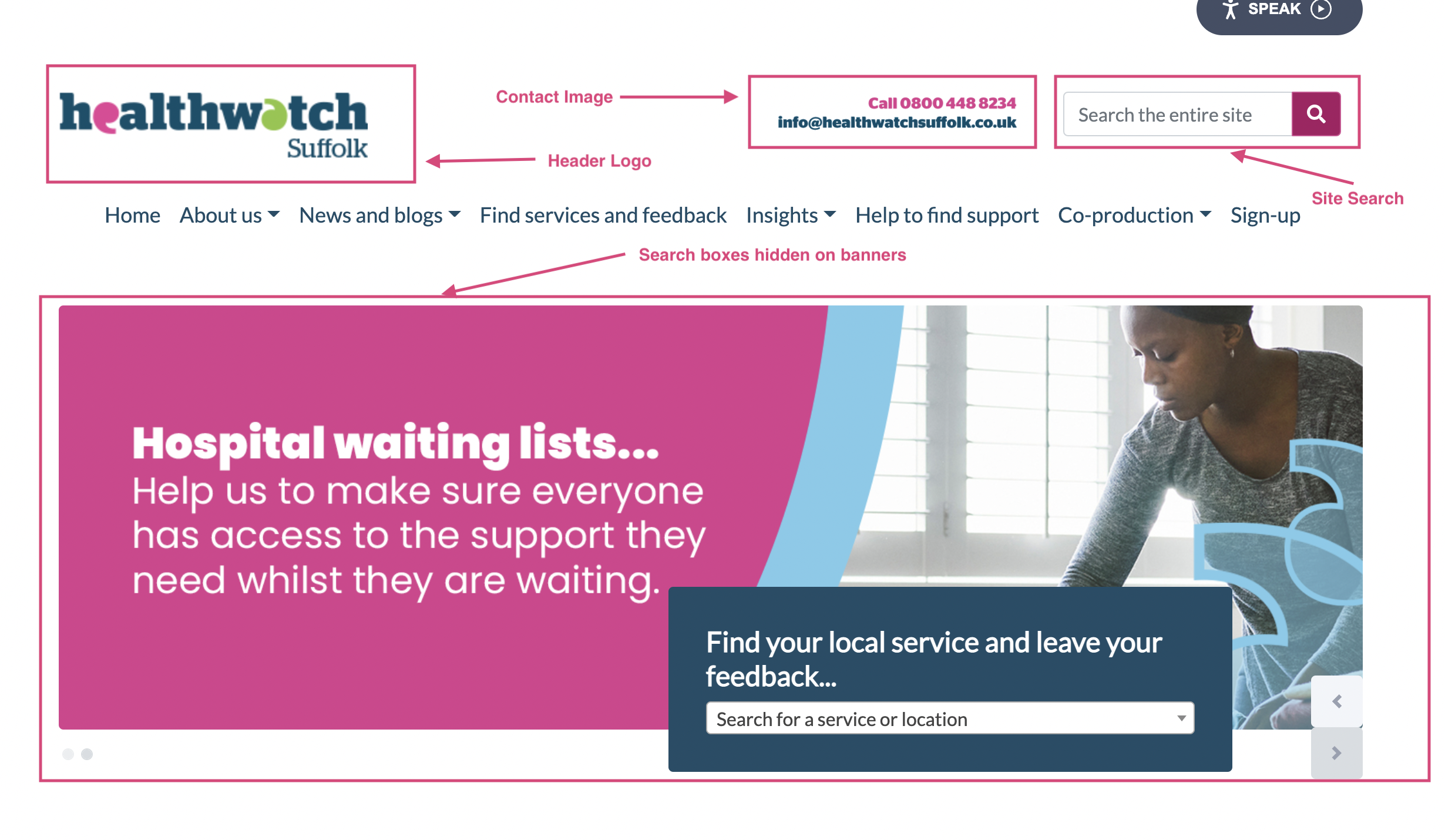
How to manage your page header
You can change your page header really easy in Wordpress. You can add a logo, show a site search and add a contact image.
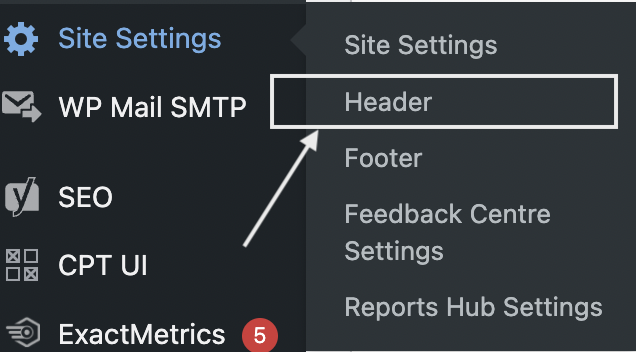
To edit your page head, click 'Site Settings' then 'Header':
You'll then be able to see the Header options for your website like so:
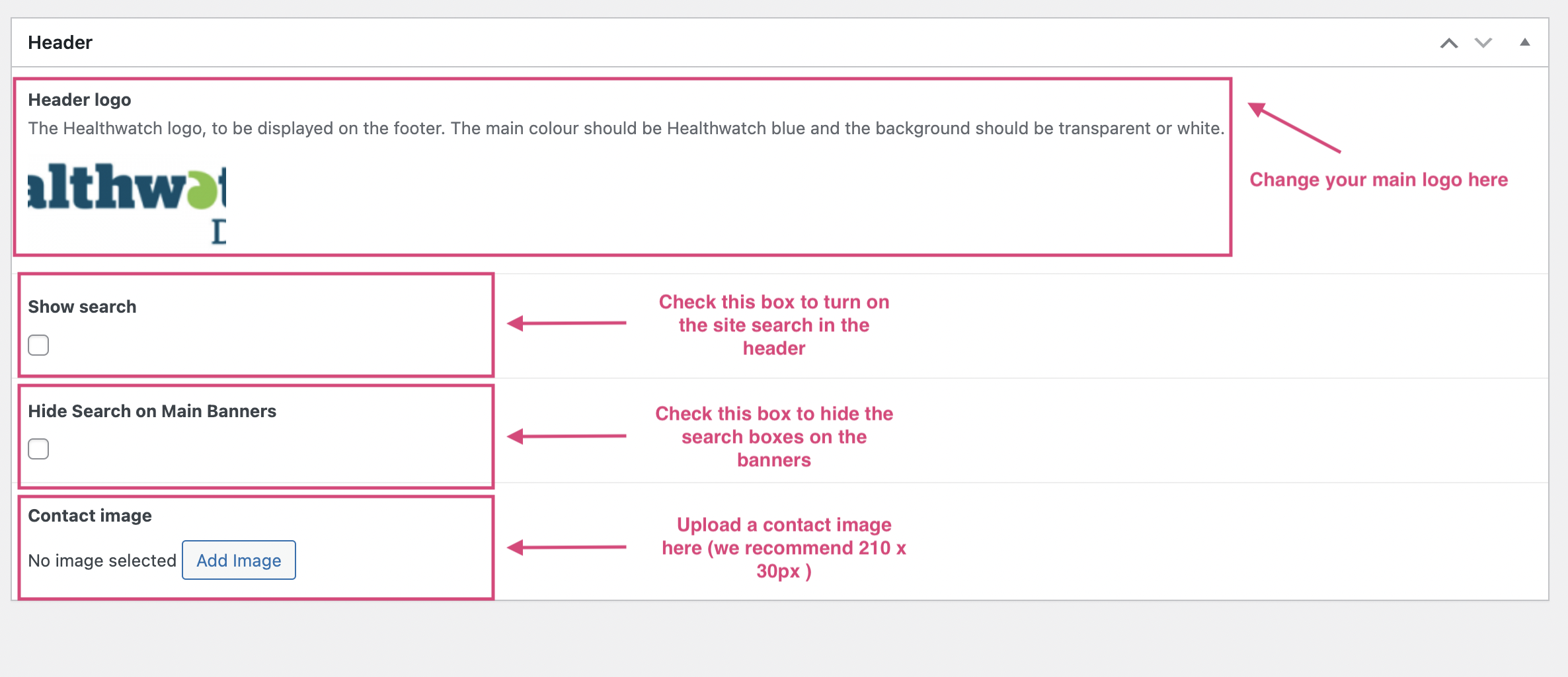
Once you've uploaded all your changes, it'll look something like this:
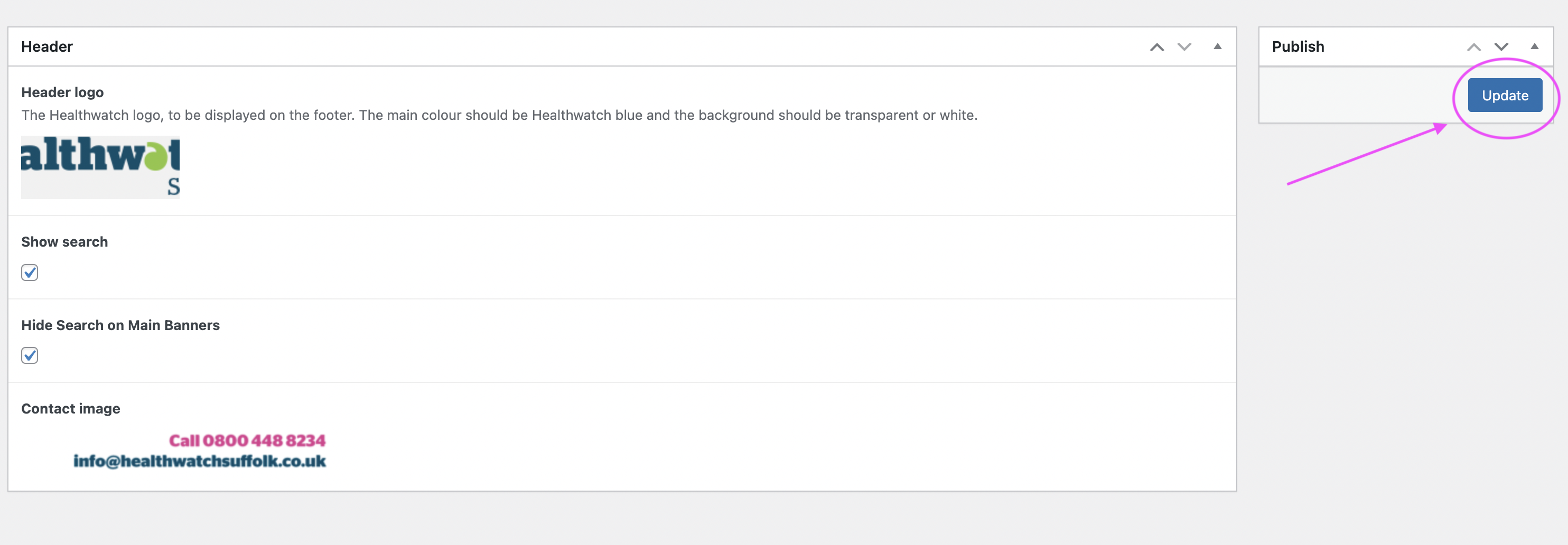
Be sure to hit the 'update' button. Once you've done so, your header will look like this: