
How do I prevent Spam in forms and comments?
As a standard each website comes with Akismet (a spam fighting service that protects millions of WordPress sites from comment and contact form spam). This will silently discard the worst and most pervasive spam so you never see it. However some spam comments and entries may sneak in!
To limit the chances of spam getting through on your forms please add captchas to each form you create. To do this head over to your Forms in the Wordpress dashboard like so:
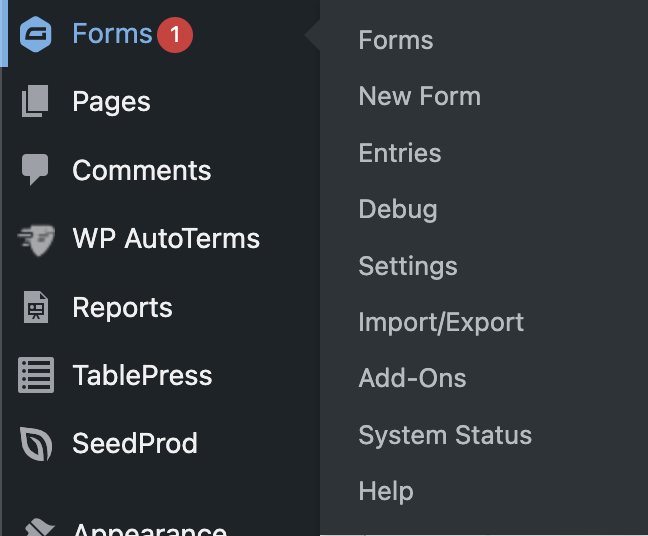
Click 'Forms' and you'll see this page:
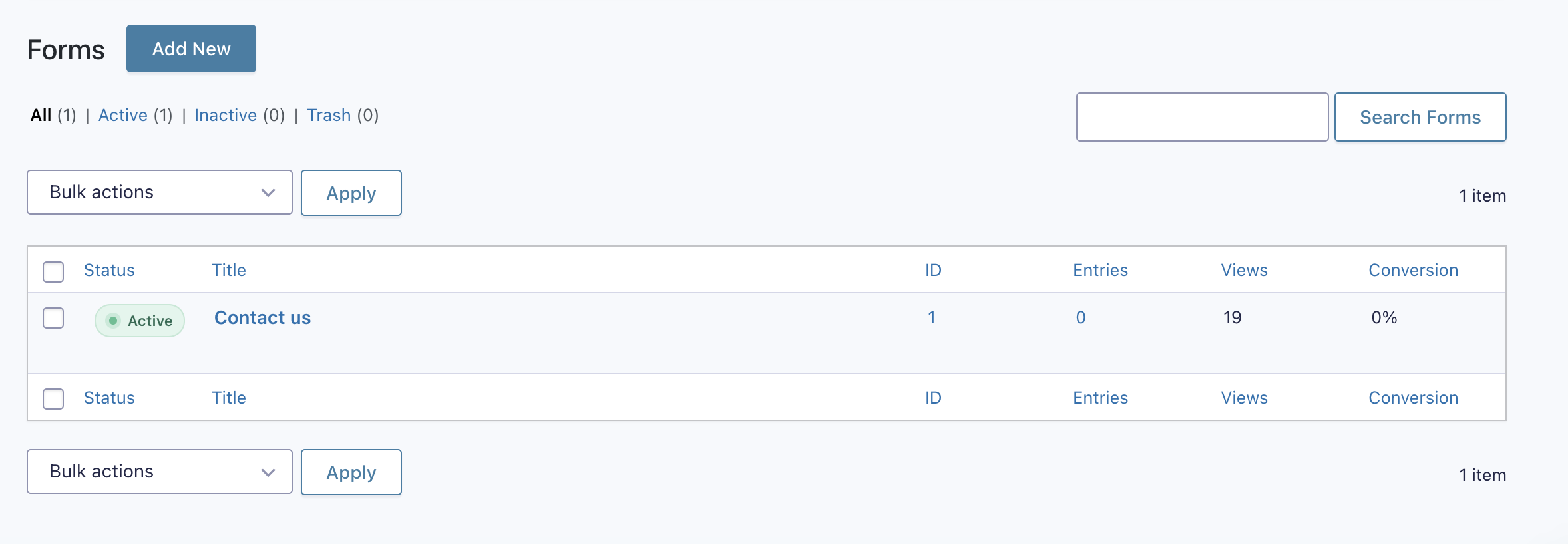
Hover on the form you'd like to alter and click edit:

You'll then see the following:
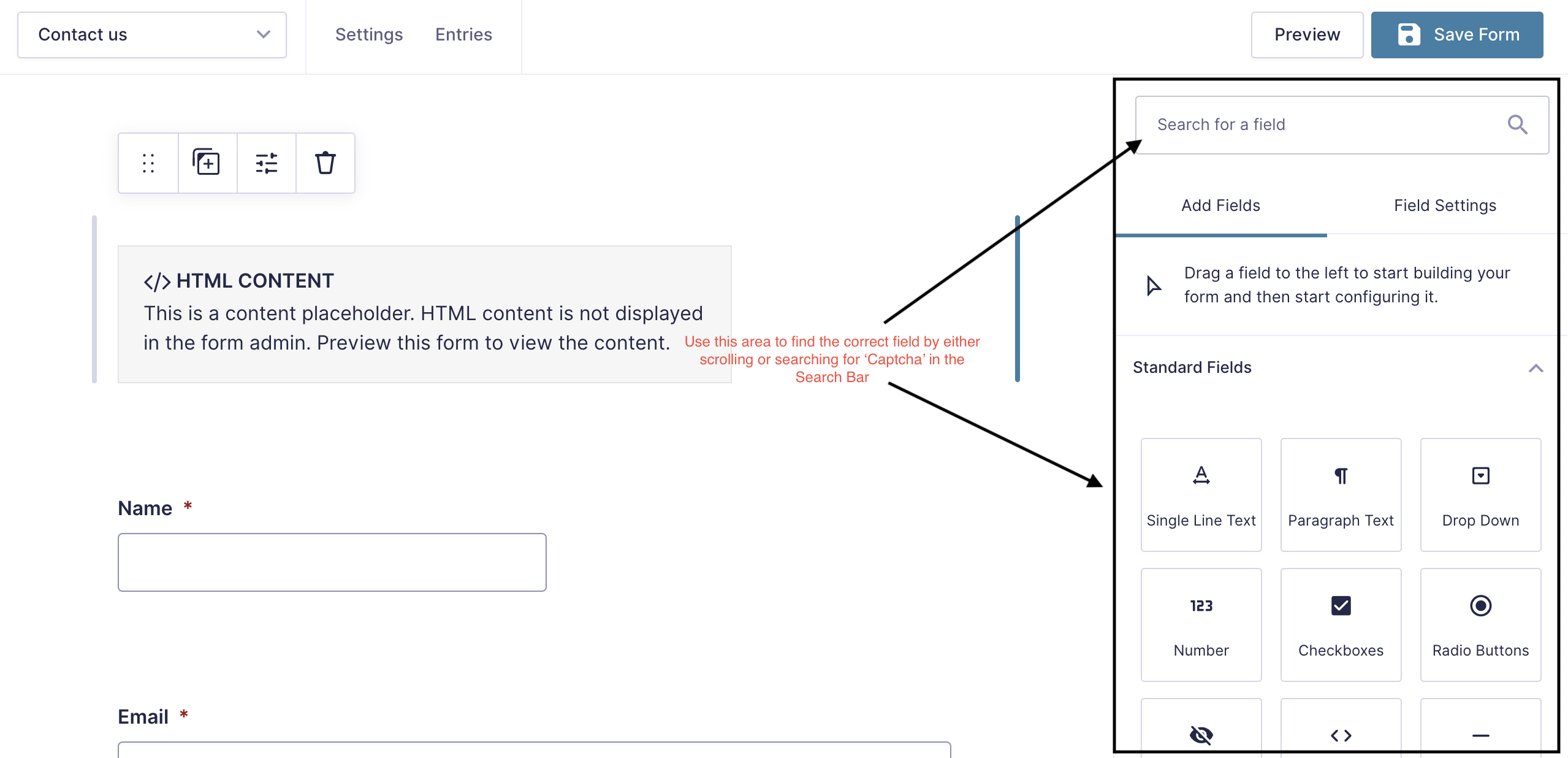
Type 'Captcha' in the search box:
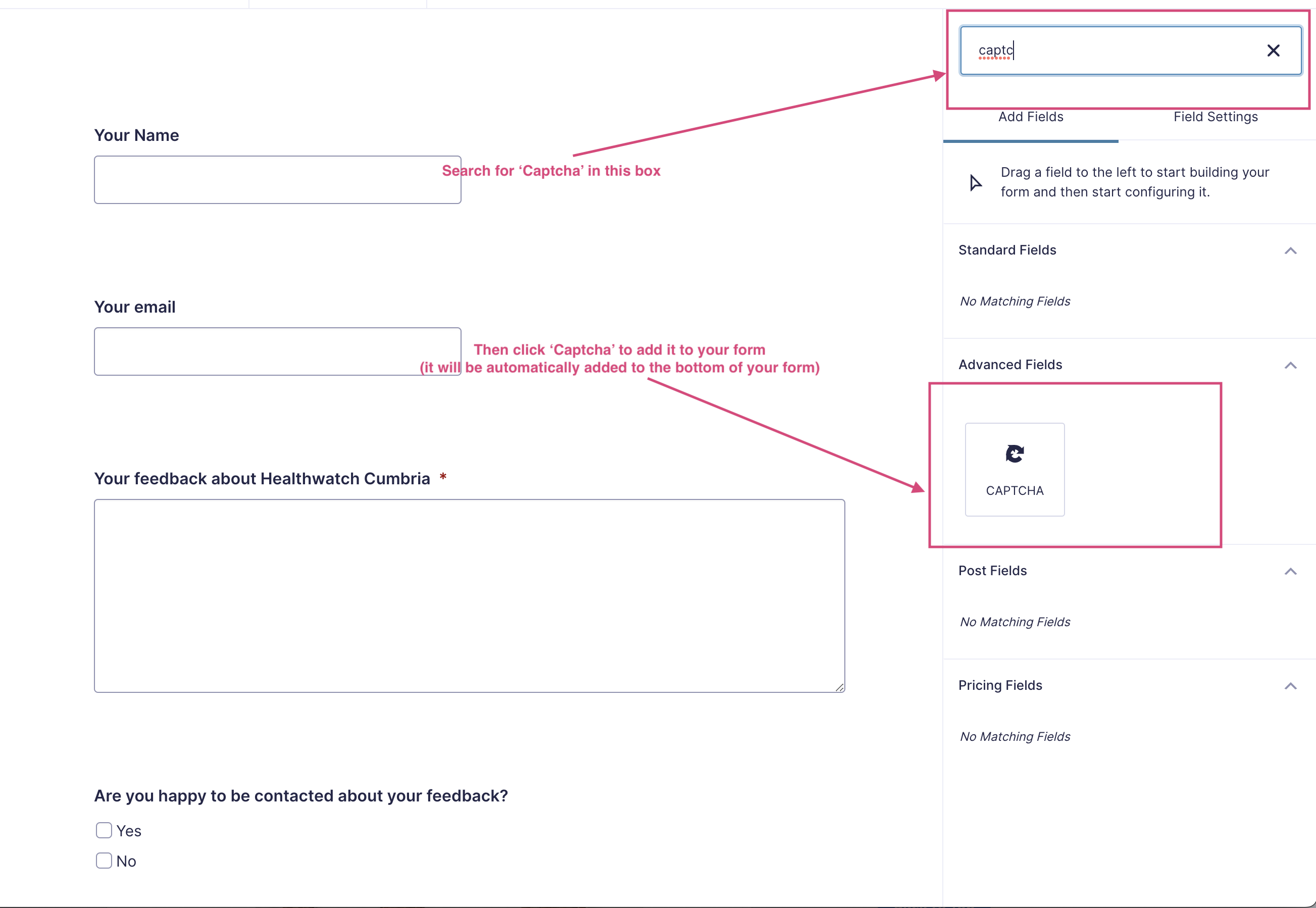
Then click 'Captcha', this will automatically add the captcha to the bottom of the form:
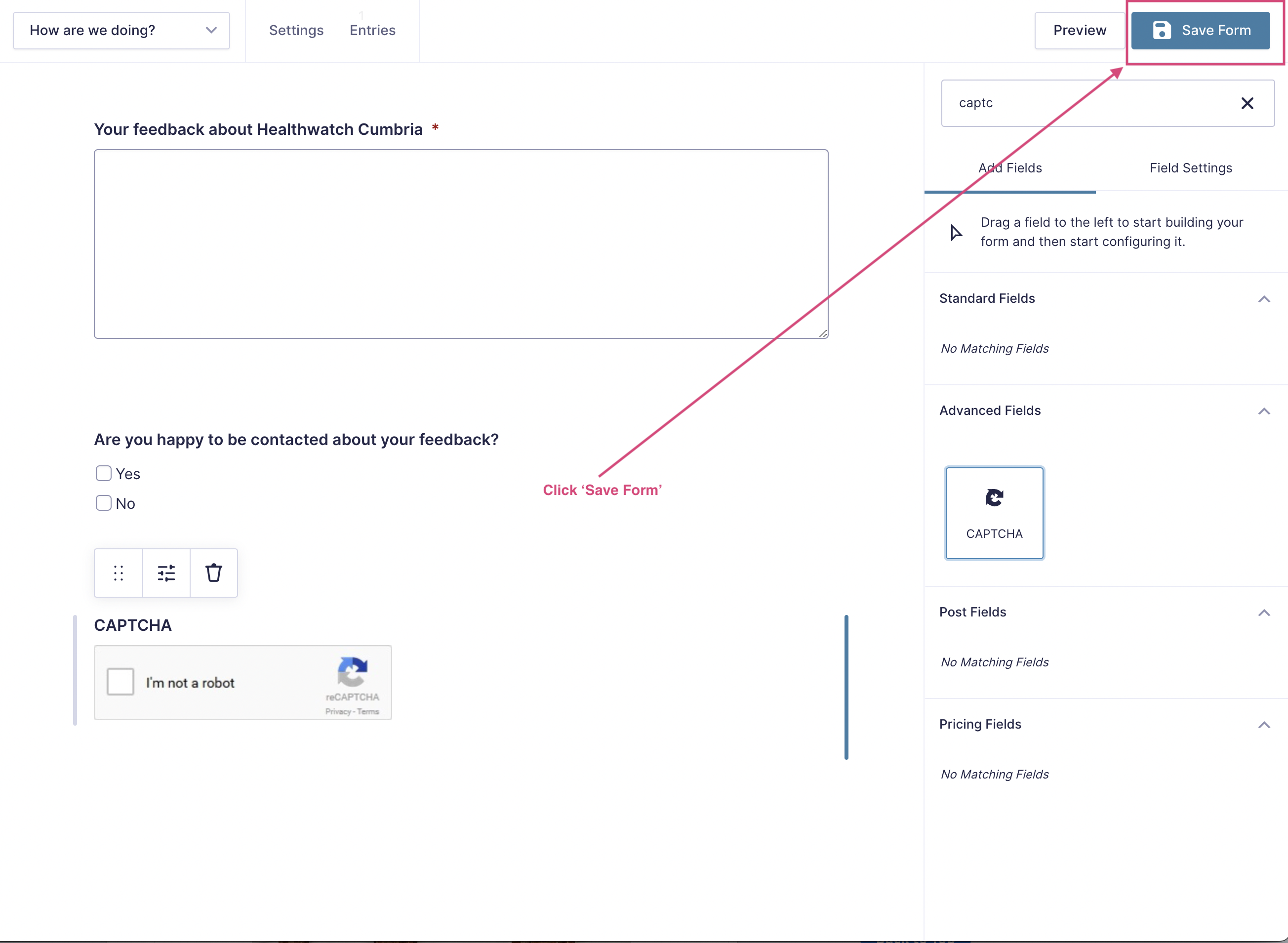
Make sure you click 'Save Form' to save your changes.
For more tips on preventing spam in Gravity Forms, please look at this article: https://www.gravityforms.com/blog/how-to-prevent-spam-form-entries/
We would recommend using the conditional logic method on the Gravity Forms tutorial.