Why aren't my recent updates showing on the website?
Have you made some recent edits, added a news article or report and they're not showing up on the front end? Chances are this is down to caching.
What is caching?
Caching is the term used for creating static copies of your page or post which are then served up to the end-user. In effect, WordPress runs the processes required once to generate the page the first time someone visits it. This page is then cached for future visitors who get served the static page.
How do I clear my websites cache?
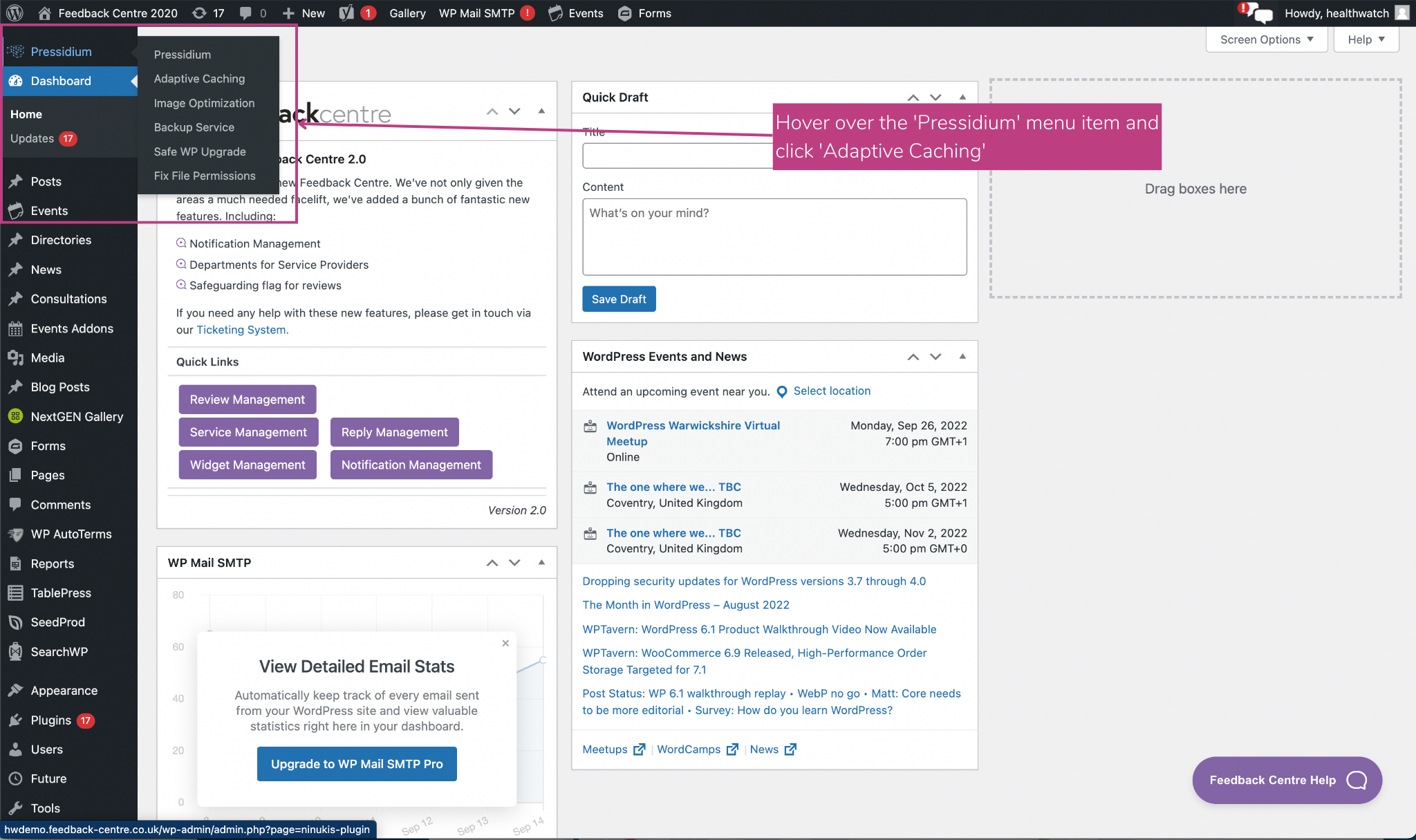
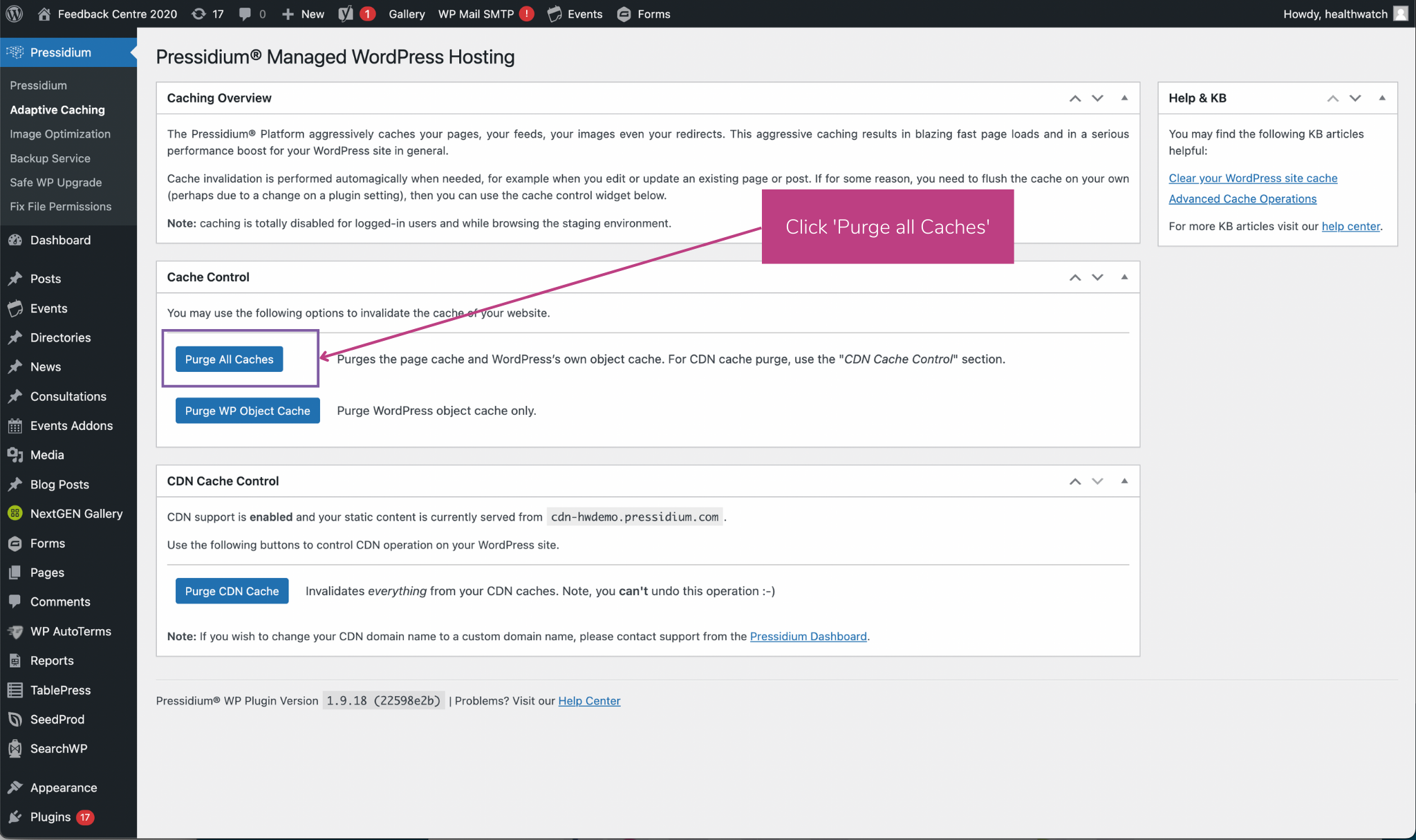
You can do this in your Wordpress dashboard by completing the following steps:
- Login to your WordPress admin dashboard.
- Click on the Pressidium sidebar menu to open up the Pressidium platform settings.
- Click the Caching tab to go to the Cache settings screen.
- Click the Purge All Caches button to clear the page cache and WordPress own object cache.
- Click on the Purge WP Object Cache to clear only the WordPress object cache.
Here are some images to help guide you: